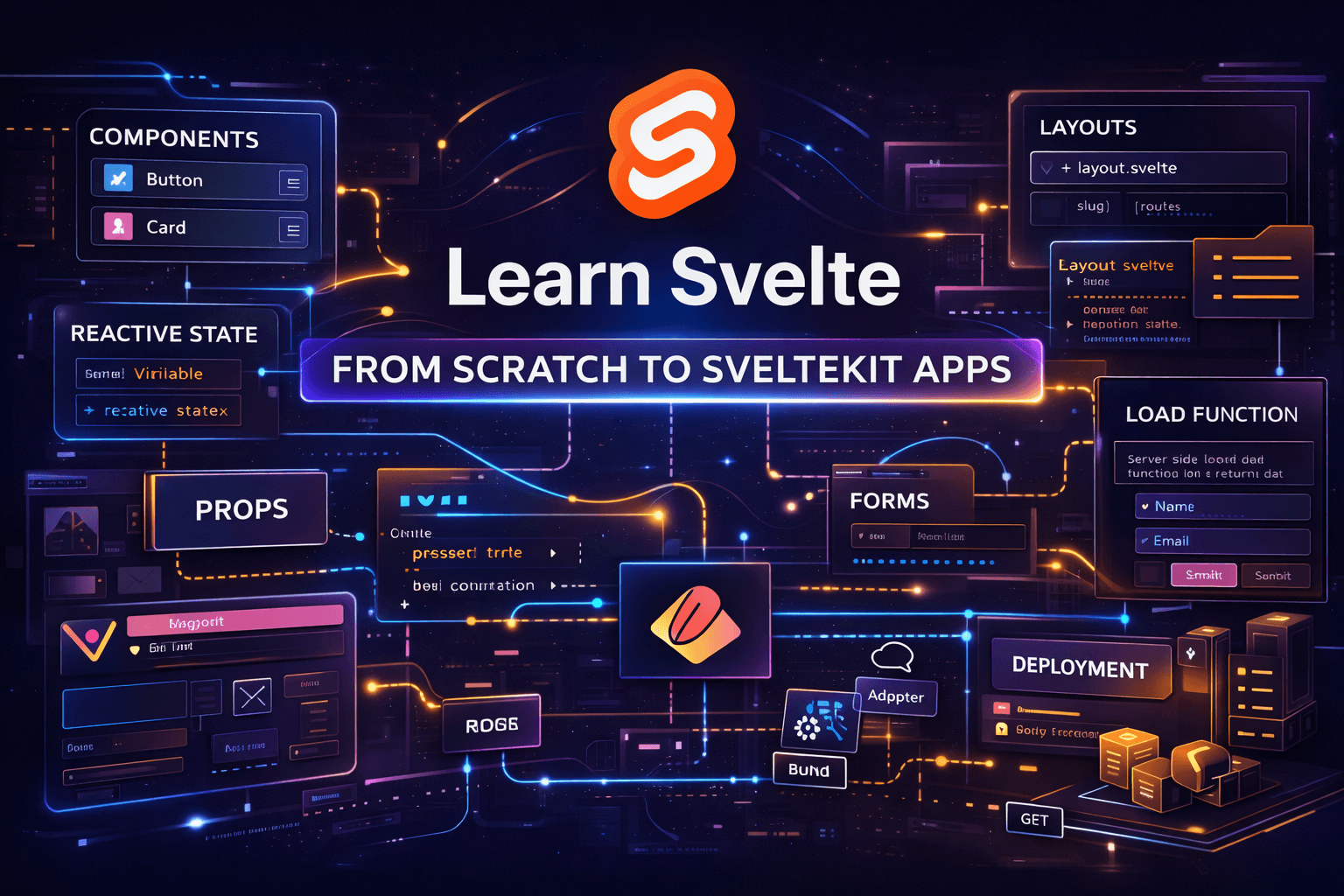
Learn Svelte and SvelteKit from Scratch
A complete beginner-friendly roadmap to learn Svelte and SvelteKit from scratch, covering components, reactivity, routing, layouts, data loading, form actions, endpoints, state management, SEO, and deployment.
Full Svelte + SvelteKit Roadmap for Beginners
What the beginner should build by the end
A beginner should finish this roadmap able to build and deploy a real app such as:
- a blog
- a movie search app
- a notes app
- a documentation site
- a small dashboard
That project should include:
- reusable Svelte components
- routing with SvelteKit
- layouts
- dynamic routes
- data loading
- forms
- custom endpoints
- basic state management
- SEO basics
- deployment
That is the real finish line. Not “I watched the tutorial.”
A real app. With real structure. Online.
1) Understand the difference between Svelte and SvelteKit
This is the first thing beginners mess up.
- Svelte is the UI framework for building components.
- SvelteKit is the application framework built around Svelte.
SvelteKit handles the app-level concerns: routing, loading data, form actions, rendering behavior, page options, state guidance, and deployment adapters. The docs also explain that pages are created by adding files under src/routes. (Svelte)
What a beginner should understand here
A beginner should know this before writing much code:
- Svelte components are not the whole app
- SvelteKit is not optional fluff for serious projects
- file-based routing is core to how SvelteKit works
- rendering and deployment depend partly on adapter and page options
Beginner mistake to avoid
Do not start by memorizing random syntax without understanding what lives where.
Good mental model:
- Svelte = building blocks
- SvelteKit = the house
2) Install your first SvelteKit project
The current Svelte docs recommend creating a project with:
npx sv create myapp
cd myapp
npm install
npm run dev
That is the official starting flow for a new project. (Svelte)
What the beginner should learn here
- how to create a project
- how to run the dev server
- where the app lives
- what the default files look like
- how to edit and see live changes
Important beginner details people skip
A beginner should immediately get comfortable with:
- opening the project in a code editor
- reading the folder structure slowly
- running the app more than once
- breaking something tiny and fixing it
- understanding that
npm run devis the development server, not production
First exercise
Change the homepage so it includes:
- a title
- a short description
- a button
- a counter
That sounds basic because it is basic. And basic is exactly where beginners should start.
3) Learn the project structure before writing too much code
The SvelteKit docs have a dedicated project structure section, and beginners should read it early instead of treating the folders like sacred mystery boxes. (Svelte)
Important folders
A beginner should understand these first:
src/
├─ lib/
├─ routes/
├─ app.html
static/
svelte.config.js
package.json
What each part means
src/routes
This is where pages and route files live. SvelteKit’s router is filesystem-based, so route structure comes from directories and special files. (Svelte)
src/lib
Reusable code usually goes here:
- components
- utilities
- stores
- helper functions
static
Files that should be served directly, such as:
- images
- icons
- robots.txt
- manifest files
app.html
The HTML shell for the app.
Beginner mistake to avoid
Do not dump every component into routes.
That becomes a junk drawer very fast.
4) Learn basic Svelte before trying to master SvelteKit
A beginner should learn Svelte fundamentals first:
- component files
- script block
- markup
- styling
- reactivity
- props
- events
- conditional rendering
- list rendering
- bindings
The current Svelte docs cover modern reactivity with runes such as $state, $derived, and $effect, and the props docs explain passing component inputs with $props. The binding docs also explain upward flow with bind: when needed. (Svelte)
First things to learn
Reactive state
<script>
	let count = $state(0);
</script>

<button onclick={() => count++}>
	clicks: {count}
</button>
Svelte’s docs describe $state as the rune for reactive state. (Svelte)
Derived values
<script>
	let price = $state(100);
	let tax = $state(0.18);

	let total = $derived(price + price * tax);
</script>

<p>Total: {total}</p>
Props
<script>
	let { title = 'Default title' } = $props();
</script>

<h2>{title}</h2>
Svelte’s props docs explain that component inputs are props and are passed like attributes. (Svelte)
Conditional rendering
<script>
	let loggedIn = $state(false);
</script>

{#if loggedIn}
	<p>Welcome back</p>
{:else}
	<p>Please sign in</p>
{/if}
Each blocks
<script>
	let items = $state(['Svelte', 'SvelteKit', 'Vercel']);
</script>

<ul>
	{#each items as item}
		<li>{item}</li>
	{/each}
</ul>
Two-way binding
<script>
	let name = $state('');
</script>

<input bind:value={name} placeholder="Your name" />
<p>Hello {name}</p>
The bind: docs explain that binding allows component or element state to flow back outward when appropriate. (Svelte)
Beginner details that matter
A beginner should also learn:
- when a normal variable is enough
- when reactivity is actually needed
- not every value must be reactive
- overusing reactive state makes code worse, not better
The Svelte best-practices docs explicitly say to use $state only for values that should actually trigger reactive updates. (Svelte)
5) Build tiny Svelte-only components first
Before app architecture, learn composition.
Components a beginner should build
Button.svelteCard.svelteBadge.svelteSectionTitle.svelteSearchInput.svelte
What the beginner should learn here
- component reuse
- props
- parent-child composition
- keeping components focused
- simple styling strategies
Example button component
<script>
	let { label = 'Click me', onclick } = $props();
</script>

<button onclick={onclick}>
	{label}
</button>
Important beginner lesson
Do not make “smart mega-components” too early.
A beginner should learn this discipline:
- one component = one clear job
- UI pieces should stay small
- split code before it becomes painful, not after
6) Learn SvelteKit routing properly
SvelteKit’s router is filesystem-based. Routes are defined by directories and special files like +page.svelte, +layout.svelte, +error.svelte, +page.js, +page.server.js, and +server.js. (Svelte)
Files a beginner must know
+page.svelte+layout.svelte+error.svelte+page.js+page.server.js+server.js
Example route structure
src/routes/
├─ +page.svelte
├─ about/
│  └─ +page.svelte
├─ blog/
│  ├─ +page.svelte
│  └─ [slug]/
│     └─ +page.svelte
└─ dashboard/
   ├─ +layout.svelte
   └─ +page.svelte
What the beginner should learn here
Static routes
Example:
/about/contact
Dynamic routes
Example:
/blog/[slug]
Layouts
Shared wrappers for route sections.
Error pages
Custom error UI when something fails.
Beginner detail people skip
A beginner should understand that layouts are not just visual wrappers. They can define shared structure and shared data flow patterns across route groups.
Practice project
Create:
- home page
- about page
- blog list page
- blog detail page
- dashboard page
That alone teaches a lot.
7) Learn loading data the right way
SvelteKit has a dedicated loading-data model through load functions. These can live in +page.js, +page.server.js, +layout.js, and +layout.server.js. (Svelte)
What a beginner should learn
- what
loadis - when to use
+page.js - when to use
+page.server.js - how data gets passed into the page
- why server-only logic matters
Example with +page.js
export async function load({ fetch }) {
	const res = await fetch('/api/posts');
	const posts = await res.json();

	return {
		posts
	};
}<script>
let { data } = $props();
</script>
<h1>Blog</h1>
{#each data.posts as post}
<article>
<h2>{post.title}</h2>
</article>
{/each}Important beginner detail
A beginner should learn this distinction early:
+page.jscan run in places where client-side navigation matters+page.server.jsis for server-only loading logic
Even before mastering the full nuance, they should know not to casually leak server-only work into the client path.
Common mistake
Do not fetch everything directly inside components just because it “works.”
Learn the app-level data flow first.
8) Learn forms and form actions
SvelteKit has first-class form actions. This is one of its nicest ideas and beginners should learn it early because it teaches clean server interaction through forms. (Svelte)
What a beginner should learn
- native HTML forms still matter
method="POST"- actions in
+page.server.js - validation basics
- returning errors or success states
- progressive enhancement later
Example
+page.svelte
<form method="POST">
	<input name="name" placeholder="Your name" />
	<button type="submit">Submit</button>
</form>
+page.server.js
export const actions = {
	default: async ({ request }) => {
		const formData = await request.formData();
		const name = formData.get('name');

		if (!name) {
			return {
				success: false,
				message: 'Name is required'
			};
		}

		return {
			success: true,
			message: `Welcome, ${name}`
		};
	}
};
Important beginner details
A beginner should also learn:
- server validation is still necessary
- input names matter
- forms are not outdated
- not every submit needs a separate frontend fetch call
This is one of those places where old-school web fundamentals age like gold.
9) Learn endpoints with +server.js
SvelteKit supports request handlers in +server.js, which lets you build internal API routes. The routing docs include +server as part of the core route system. (Svelte)
What the beginner should learn
GETPOST- returning JSON
- internal API structure
- when an endpoint helps
Example
import { json } from '@sveltejs/kit';

export function GET() {
	return json([
		{ id: 1, title: 'Learn Svelte' },
		{ id: 2, title: 'Learn SvelteKit' }
	]);
}
Why this matters for a beginner
It teaches:
- request/response thinking
- clean separation between page UI and backend logic
- how frontend and server code can live in the same app without becoming a swamp
10) Learn layouts, shared UI, and route groups
Beginners often underestimate layouts. Big mistake.
What the beginner should learn
- root layout
- nested layout
- shared navigation
- sidebar layouts
- dashboard sections
- route grouping concepts
Example use cases
Root layout
Use for:
- navbar
- footer
- theme wrapper
Dashboard layout
Use for:
- sidebar
- user nav
- private app shell
Important beginner lesson
A beginner should think in shared shells, not repeated markup.
If the same navbar is copied into three pages, that is not clever. That is a cry for help.
11) Learn state management carefully
SvelteKit has a state-management guide specifically because mixed server/client apps have common traps. The docs warn about shared state on the server, side-effects in load, storing state in the URL when appropriate, and using snapshots for ephemeral state. (Svelte)
What the beginner should learn
- local component state first
- shared stores later
- context when necessary
- URL state for filters or search
- avoid shared mutable server state
Important beginner rule
Use the simplest state solution that works:
- local state
- parent-child props
- shared store
- URL state
- context
Not the other way around.
What beginners should absolutely avoid
- global store for everything
- shared mutable server variables
- side-effects inside
load - confusing UI state with business data
The state-management docs explicitly call out shared server state as a gotcha. (Svelte)
Example of local state
<script>
	let query = $state('');
	let items = $state(['Svelte', 'SvelteKit', 'Vercel']);

	let filtered = $derived(
		items.filter((item) => item.toLowerCase().includes(query.toLowerCase()))
	);
</script>

<input bind:value={query} placeholder="Search..." />

<ul>
	{#each filtered as item}
		<li>{item}</li>
	{/each}
</ul>
12) Learn page options and rendering modes
SvelteKit has page options and project types so you can control rendering and deployment behavior. The docs also explain that project structure and routing stay the same regardless of project type, while rendering/deployment behavior comes from the adapter and configuration. (Svelte)
What a beginner should learn conceptually
- SSR
- CSR
- prerender
- static generation
- SPA fallback concepts
Important beginner lesson
Do not choose rendering mode because it sounds cool.
Choose based on needs:
- blog or docs site → prerender/static can be great
- app with dynamic user data → SSR often makes sense
- some hybrid cases → mix carefully
Why this matters
Beginners who ignore rendering modes often end up confused about:
- why some data runs on server
- why some pages can be prebuilt
- why deployment behaves differently
13) Learn SEO basics in SvelteKit
SvelteKit has an SEO section in the docs, and beginners building public pages should learn the minimum. (Svelte)
What the beginner should learn
- page titles
- meta descriptions
- canonical basics
- open graph basics
- why SSR/prerender helps discoverability
Example
<svelte:head>
	<title>Learn SvelteKit</title>
	<meta
		name="description"
		content="A beginner-friendly guide to learning SvelteKit step by step"
	/>
</svelte:head>
Important beginner detail
SEO is not just “for bloggers.”
It matters for:
- portfolio pages
- landing pages
- documentation
- public product sites
14) Learn basic styling and UI organization
A beginner should not ignore styling just because they are focused on logic.
What the beginner should learn
- local component styles
- global styles
- layout spacing
- typography basics
- responsive thinking
- consistent naming
Practical beginner advice
A beginner should decide early whether to use:
- plain CSS
- CSS modules approach
- utility-first styling later
But do not overcomplicate it on day one.
Good rule
First learn to build a clean app.
Then obsess over design systems.
15) Learn file organization for real projects
A beginner should not stay in a flat messy structure forever.
Good starting structure
src/
├─ lib/
│  ├─ components/
│  ├─ stores/
│  ├─ utils/
│  └─ server/
├─ routes/
│  ├─ +layout.svelte
│  ├─ +page.svelte
│  ├─ blog/
│  ├─ api/
│  └─ dashboard/
What the beginner should learn here
componentsfor reusable UIutilsfor helpersstoresfor shared client stateserverfor server-specific helpers- route files stay route-focused
Important beginner detail
Do not shove all logic into +page.svelte.
That file should not become your emotional support dumpster.
16) Learn adapters and deployment
Adapters are how SvelteKit targets different deployment environments. The docs explain that adapter-static prerenders the site into static files, and the docs index also includes adapters and zero-config deployments as core deployment topics. (Svelte)
What a beginner should learn
- what an adapter is
- static vs server deployment
- build step
- preview step
- choose deployment target intentionally
Important commands
npm run build
npm run preview
Important beginner lesson
A beginner should always:
- run the build locally
- preview the production build
- confirm routes and assets work
- avoid deploying blind
Static site case
If building:
- a blog
- docs
- a content site
then static generation can be an excellent beginner-friendly path. The adapter-static docs describe using it to prerender the site as static files. (Svelte)
17) Good beginner projects for SvelteKit
A beginner should not start with a huge SaaS clone.
Start with something small but real.
Best first projects
1. Blog
Teaches:
- pages
- dynamic routes
- layouts
- SEO
- data loading
2. Movie search app
Teaches:
- API calls
- search
- filtering
- loading states
- endpoints
3. Notes app
Teaches:
- forms
- state
- CRUD thinking
- layout organization
4. Small dashboard
Teaches:
- nested layouts
- shared UI
- route organization
- internal endpoints
My honest recommendation
For a real beginner:
- blog if they want web fundamentals
- movie app if they want interactivity and API practice
Both teach a lot without becoming a monster.
18) Beginner mistakes to avoid
These matter more than people admit.
Mistake 1
Learning Svelte syntax without learning project structure.
Mistake 2
Using global state too early.
Mistake 3
Putting all fetching directly in components.
Mistake 4
Skipping forms because fetch feels cooler.
Mistake 5
Ignoring layouts and repeating UI.
Mistake 6
Not understanding server vs client thinking.
Mistake 7
Deploying without building locally first.
Mistake 8
Trying auth, database, animations, and design system all in week one.
That last one is how beginners accidentally turn learning into self-sabotage.
19) Recommended weekly learning plan
Week 1
Learn:
- project setup
- file structure
- basic Svelte syntax
- reactive state
- bindings
- conditionals
- loops
Build:
- counter
- profile card
- search input
- small reusable button/card components
Week 2
Learn:
- props
- composition
- layouts
- routing
- dynamic routes
Build:
- home page
- about page
- blog page
- blog detail page
Week 3
Learn:
load- server vs page loading
- endpoints with
+server.js - forms and actions
Build:
- posts list from endpoint
- single post page
- contact form
- newsletter form
Week 4
Learn:
- state management
- URL-based filters
- SEO
- better project organization
- basic responsive styling
Build:
- search page
- filterable list
- proper layout shell
Week 5
Learn:
- adapters
- build and preview
- deployment setup
- production checks
Build:
- final polished project
- deploy it
A fast beginner could do this in 4 to 6 weeks.
A more careful beginner might take 6 to 8 weeks.
Both are valid.
20) Final learning order
This is the order I would recommend without hesitation:
- Understand Svelte vs SvelteKit
- Create a project
- Learn basic Svelte syntax
- Learn reactive state, props, and bindings
- Build tiny reusable components
- Learn routing
- Learn layouts
- Learn data loading
- Learn form actions
- Learn endpoints
- Learn state management
- Learn page options and rendering modes
- Learn SEO
- Organize files properly
- Build one real app
- Build and deploy it
That order has bones.
It will carry weight.
21) Final advice for a beginner
A beginner should not try to become “advanced” immediately.
The right first goal is:
- understand the pieces
- build a small app
- finish it
- deploy it
- then level up
That old path still works because it is honest.
Learn the craft in order.
Do not chase shiny complexity before you can walk.
Official links
- Svelte getting started: ()
- SvelteKit project structure: ()
- SvelteKit routing: ()
- SvelteKit form actions: ()
- SvelteKit state management: ()
- SvelteKit page options: ()
- SvelteKit SEO: ()
- SvelteKit adapter-static: ()
- Svelte
$state: () - Svelte
$props: () - Svelte
bind:: () - Svelte best practices: ()
FAQ
Is Svelte good for beginners?
Yes. Svelte is often beginner-friendly because its component syntax feels close to HTML, CSS, and JavaScript, so it usually feels less heavy at the start than some other frontend frameworks.
Should I learn Svelte before SvelteKit?
Yes. A beginner should learn basic Svelte first, especially components, props, reactivity, events, bindings, and conditional rendering. After that, SvelteKit makes much more sense.
What is the difference between Svelte and SvelteKit?
Svelte is the UI framework for building components. SvelteKit is the full application framework that adds routing, layouts, data loading, forms, endpoints, rendering strategies, and deployment support.
Is SvelteKit only for large projects?
No. SvelteKit works well for small and medium projects too. It can be used for blogs, portfolio sites, dashboards, apps, and more. It is not just for giant enterprise monsters.
Do I need to know JavaScript before learning Svelte?
Yes. At least the basics. A beginner should know variables, functions, arrays, objects, conditionals, loops, DOM basics, and async fundamentals before going deep into Svelte or SvelteKit.
Should I learn stores at the beginning?
No. A beginner should start with local component state first. Stores should come later, once the need for shared state becomes clear.
Do I need SvelteKit if I only want to build pages?
Usually yes, especially if you want routing, layouts, SEO-friendly pages, data loading, or deployment structure. Svelte alone is great for components, but SvelteKit is usually the better path for full apps and real websites.
Is SvelteKit good for blogs and content sites?
Yes. It is a strong fit for blogs, documentation sites, landing pages, and other content-driven websites because it supports structured routing, layouts, and rendering options.
When should I learn form actions?
After learning routing and basic page structure. Form actions make more sense once a beginner understands how pages and server-side logic connect.
Should I learn endpoints in SvelteKit as a beginner?
Yes, but after learning the basics. A beginner should first understand pages, routing, and loading. Then endpoints become much easier to understand.
Is SvelteKit good for deployment?
Yes. It is designed to support different deployment targets through adapters, which is one of the reasons it feels so production-ready.
What should I build first with SvelteKit?
A blog, movie search app, or small dashboard. Those are clean beginner projects that teach routing, layouts, data loading, forms, and reusable components without turning into a circus.
How long does it take to learn Svelte and SvelteKit?
A realistic beginner timeline is around 4 to 6 weeks with steady practice. A more relaxed pace can take 6 to 8 weeks, especially if the beginner builds a full project carefully.
Should I learn SvelteKit before React or Vue?
That depends on your goal, but yes, SvelteKit is absolutely a valid first modern framework path. It teaches strong fundamentals without drowning the beginner in too much ceremony.
What should I learn after this roadmap?
After this roadmap, the next strong steps are:
- authentication
- databases
- Prisma or Drizzle
- testing
- animations
- advanced state patterns
- deployment strategies
- a component library approach
Related Stacks

Astro with Content Collections + Tailwind 4 + shadcn
A modern portfolio stack for developers, designers, and creators who want a fast personal website, polished project showcases, reusable UI components, and structured content without relying on a full CMS.

Astro + Tailwind CSS for Modern Landing Pages
A beginner-friendly stack for building fast, modern, and visually polished landing pages with strong performance and clean frontend architecture.
SvelteKit + Tailwind CSS for Modern Landing Pages
A flexible landing page stack for developers and startups who want modern design, strong performance, and room to grow into a more interactive web experience.